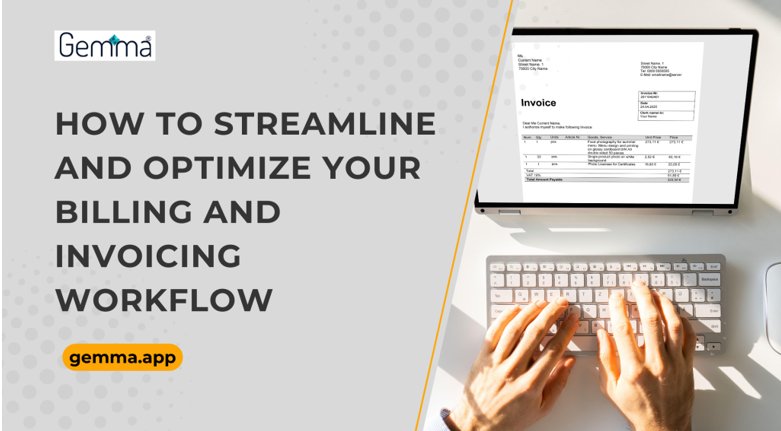
How to Streamline and Optimize Your Billing and Invoicing Workflow
Efficient billing and invoicing is not just a back-office task - it directly affects how quickly your business gets paid and how reliable your cash flow is. In today’s digital economy, businesses need faster, more accurate, and more transparent payment workflows.

Efficient billing and invoicing is not just a back-office task - it directly affects how quickly your business gets paid and how reliable your cash flow is. In today’s digital economy, businesses need faster, more accurate, and more transparent payment workflows.
Using online payment software can solve many of the issues that delay cash collection—late payments, missing data, manual approval processes, and poor customer experience. It also plays a central role in optimizing billing and invoicing workflow across all departments.
Did you know?
63% of businesses in Australia and 62% in New Zealand say they’re losing money due to late payments, with some estimating average losses of more than $10,000 each month.
Let’s break down how to fix this.
What Is Billing vs. Invoicing?
Billing is the broader process of requesting payment from a customer after a product or service has been delivered. It includes tracking what's owed, preparing financial documents, and managing follow-ups.
Invoicing is the step of creating and sending an invoice to the customer. It includes listing the service, cost, payment terms, and due date.
| Term | Description |
|---|---|
| Billing | Entire payment management process |
| Invoicing | Document sent to request payment (the invoice) |
The invoicing experience refers to how smooth, clear, and efficient this process is for your customers. Understanding what is invoicing experience is key to making sure your clients pay on time without confusion or delays.
Why Optimising Your Billing & Invoicing Workflow Matters
If your billing process is slow or unclear, payments will be delayed. This affects working capital and can create long-term cash flow problems.
Here’s what a poor billing workflow can lead to:
- Payment delays from unclear or late invoices
- Errors in the amount, tax, or details that lead to disputes
- Extra admin time chasing overdue invoices
- Inconsistent records that affect reporting and audits
A well-structured invoice processing workflow ensures:
- Accurate invoice data
- Timely delivery
- Faster payment settlement
- Better customer experience
This is central to how to optimise billing and invoicing workflow for sustainable growth.
Key Components of an Efficient Billing & Invoicing Workflow
1. Standardised Invoice Templates
Using a standard format speeds up invoice creation and avoids missing key fields.
Benefits:
- Consistent branding
- Accurate tax calculation
- Faster approval by clients
2. Clear Payment Terms & Instructions
Every invoice should clearly mention:
- Due date
- Accepted payment methods
- Late payment fees (if applicable)
- Invoice reference number
3. Flexible Payment Options
Giving customers different ways to pay increases the chance of faster payments:
- Credit/debit card
- Bank transfers (ACH)
- Wallets or BNPL providers
- Payment portals with auto-receipts
4. Seamless Data Integration
Connect your invoicing tool to:
- Accounting software
- CRM and project tools
- Customer profiles
This minimises manual entry and keeps records consistent.
How Online Payment Software Enhances Billing & Invoicing
Online payment software allows you to send invoices with built-in payment options. These tools connect with your invoicing system to reduce delays and manual errors.
Key Benefits:
- Invoices are sent automatically when a task or milestone is completed
- Customers can pay securely using payment links
- Payment status updates in real time
- Failed payments trigger reminders automatically
These functions help streamline your entire invoice processing workflow.
Top Features of Best Billing and Invoicing Software
When deciding on the best billing and invoicing software, make sure it includes:
| Feature | What It Does |
|---|---|
| Automatic invoice generation | Creates invoices based on job completion or triggers |
| Recurring billing | Supports subscription or ongoing service invoicing |
| Payment reminders | Sends auto-emails before/after the due date |
| Overdue alerts | Tracks unpaid invoices and flags them for follow-up |
| Analytics dashboard | Shows time-to-payment, collection rate, and ageing reports |
| PCI-compliant processing | Secures customer data and ensures payment compliance |
These features work together to reduce admin load and speed up payment cycles.
What Is an Invoicing Experience & Why It Matters
What is invoicing experience? It’s how your customer interacts with your invoicing process from receiving to paying.
Poor invoicing experiences include:
- Invoices with missing or unclear details
- No easy way to pay online
- No automated reminders
- Confusing or unprofessional formats
Tips to Improve:
- Use easy-to-read layouts
- Include itemised charges
- Add secure payment links
- Always send a payment confirmation
Improving your invoicing experience also helps build trust and reduce disputes.
Steps to Optimise Your Billing & Invoicing Workflow
Follow these actions to create a more efficient system:
1. Digitise Paper Processes
- Switch to e-invoicing tools
- Use templates hosted in the cloud
- Save time and reduce the risk of loss or duplication
2. Automate Routine Tasks
- Set invoices to trigger after job completion
- Automate reminder and overdue follow-ups
- Assign invoice numbers automatically
3. Standardise Workflows
- Define clear steps: creation → approval → delivery
- Assign team roles for each stage
- Keep a consistent timeline
4. Implement Online Payment Tools
- Integrate secure payment links in every invoice
- Enable instant payment confirmations
- Sync with accounting records
5. Monitor & Improve
Measure:
- Time to payment
- Overdue invoice count
- Dispute frequency
- Admin time spent per invoice
Monitoring helps you identify areas that need fixing and supports continuous improvement.
The Role of Automated Billing Systems
Automated billing systems handle the full cycle of invoice generation, delivery, payment reminders, and reconciliation. They are more advanced than basic invoicing tools.
Benefits of using automated billing systems:
- Removes human error in invoice data
- Reduces manual follow-up
- Speeds up the entire billing cycle
- Prevents missed billing due to automation triggers
Technology Involved:
- AI predictions for payment timelines
- OCR to extract data from job sheets
- Trigger-based workflow automation
These tools are essential for businesses that manage large volumes of recurring or project-based billing.
How to Optimise Invoice Processing Workflow
The invoice processing workflow includes:
| Stage | Action Required |
|---|---|
| Capture | Collect data like hours, fees, materials used |
| Validation | Confirm invoice details, tax, and totals are correct |
| Approval | Route to manager or finance for sign-off |
| Payment & Archiving | Send invoice, process payment, and securely store record |
Best Practices:
- Use invoice templates to minimise errors
- Set approval rules in your software
- Attach payment links in the invoice
- Store documents with an audit trail
A clear invoice processing workflow means less delay, better compliance, and a smoother payment process.
Example: Before and After Using Online Payment Software
Scenario:
A mid-sized IT services business was using Excel and email to manage invoices.
Before:
- 2+ days needed for invoice prep and approvals
- 40% of invoices are paid after the due date
- Admin staff spent over 6 hours a week following up
After Using Online Payment Software:
- Invoices auto-generated after the project closes
- Clients paid on average 2.5 days faster
- Overdue payments dropped by 60%
- Admin time spent reduced by more than half
Wrapping Up!
A strong billing and invoicing system impacts the following:
- how quickly you get paid
- how happy your clients are
- how smoothly your business runs
Modern tools like online payment software and automated billing systems from Gemma allow you to build a fast, accurate, and efficient billing cycle. They eliminate many of the issues caused by manual processes.
Now is the time to assess your systems and get Gemma to digitise and automate your billing.
FAQs
What is invoicing experience?
It refers to how simple, fast, and professional it is for a customer to receive, understand, and pay your invoice.
How does online payment software improve billing workflows?
It speeds up invoice delivery, allows faster payment with secure links, and automatically tracks payment status without manual intervention.
What features should ideal billing and invoicing software have?
It should include auto-invoice generation, recurring billing, reminders, secure payment collection, and real-time tracking.
Why automate invoice processing?
Automation reduces manual errors, speeds up payment collection, cuts admin time, and keeps your records accurate and compliant.
Share
What's Your Reaction?
 Like
0
Like
0
 Dislike
0
Dislike
0
 Love
0
Love
0
 Funny
0
Funny
0
 Angry
0
Angry
0
 Sad
0
Sad
0
 Wow
0
Wow
0